
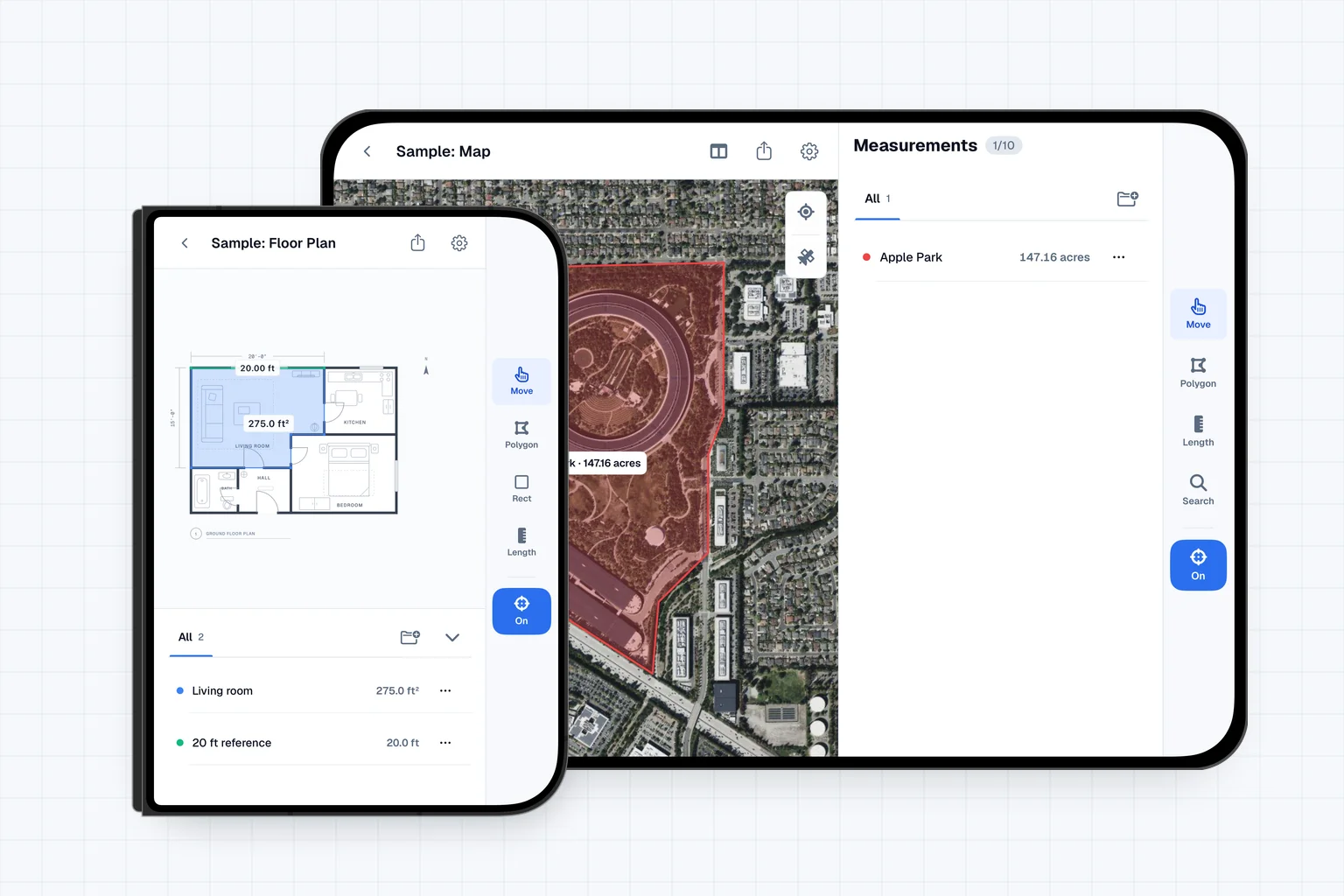
iPhone Duo is Apple's new foldable iPhone, announced at its September 9 event. Pre-orders open today, October 16, at 5 a.m. Pacific, and it is available from October 23.
Areaplane is ready for it. Version 1.2 supports iPhone Duo from day one. The app knows which display you are using and lays itself out for it: a two-pane workspace on the large inner display, and the phone layout, rearranged around the camera, on the outer one.
The Plan Gets Its Own Pane
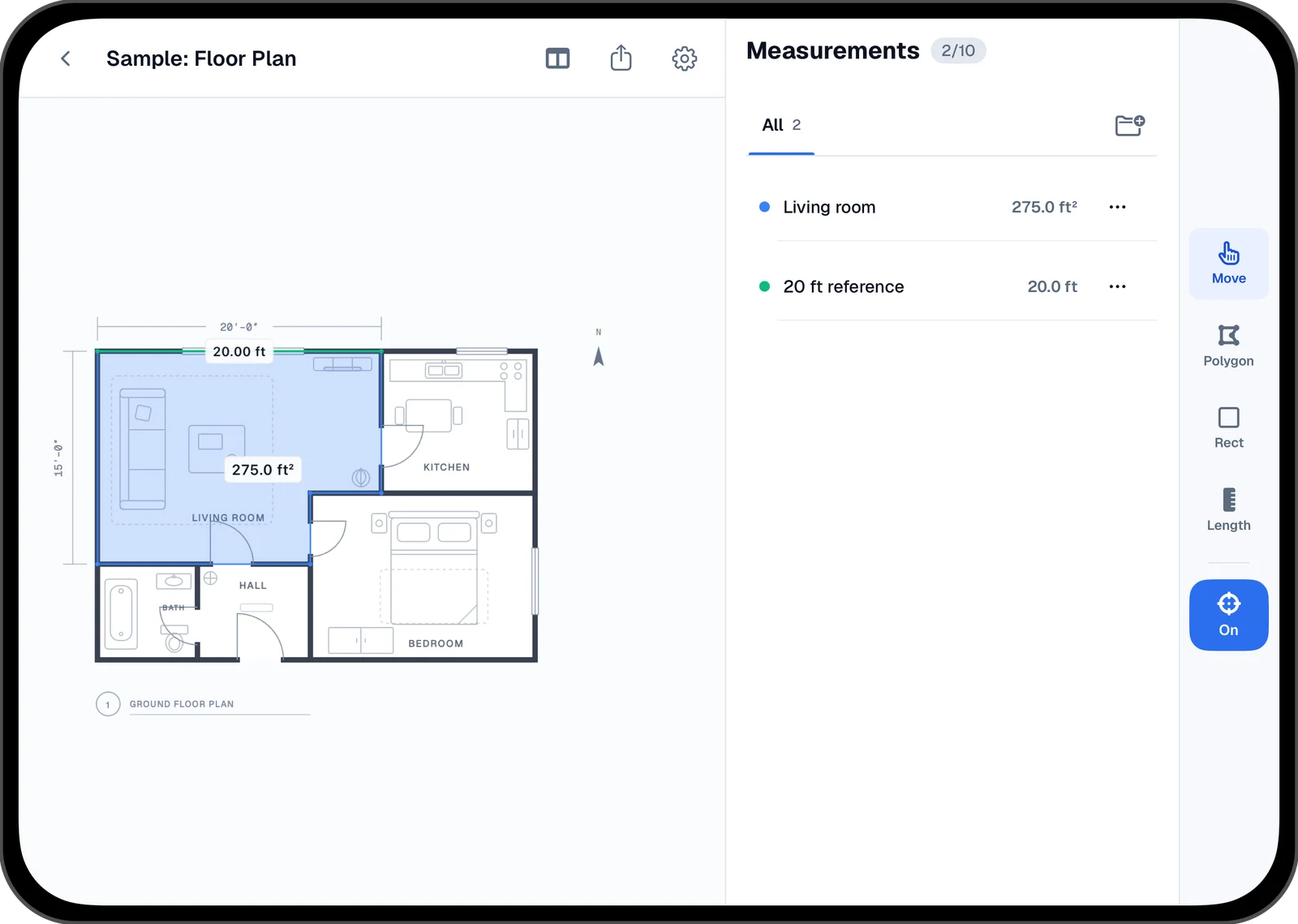
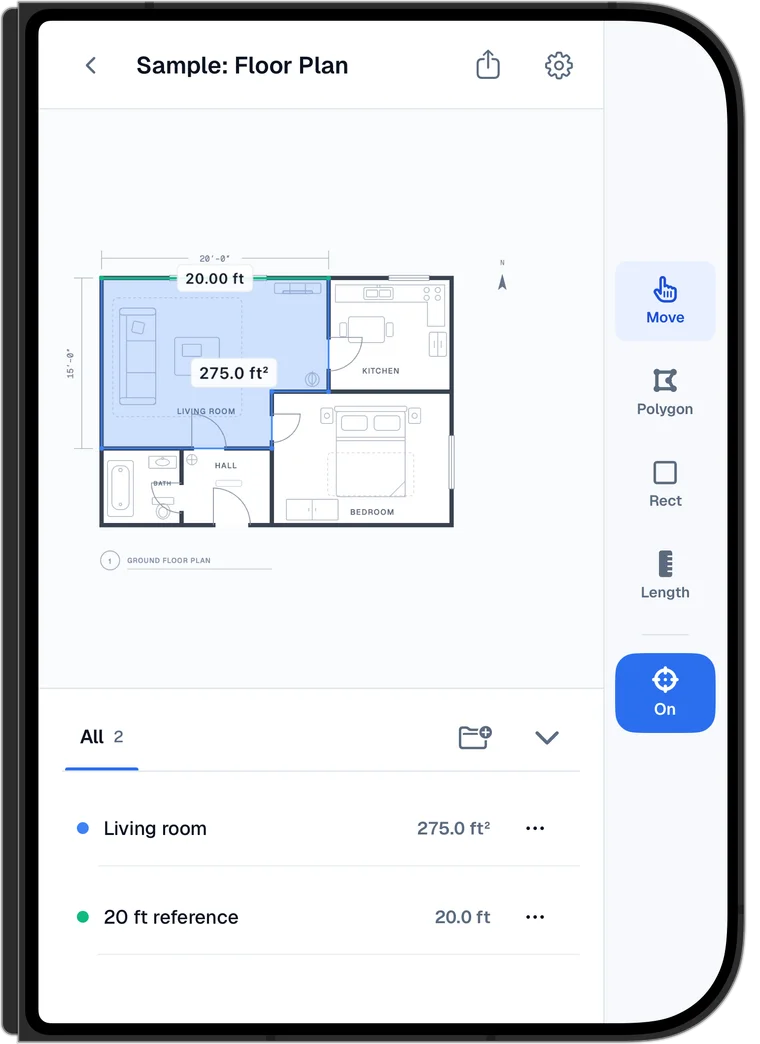
Unfolded, the plan or map takes one pane and everything else moves into a panel beside it: the current instruction, the measurements list, and Cancel, Undo, and Save while you draw. Nothing sits on top of the plan, so you can see every wall and corner while you trace.
A button in the header moves the panel below the plan instead, in portrait or landscape. Pick whichever leaves the plan the most room for the room you are measuring.
Tools in a Rail
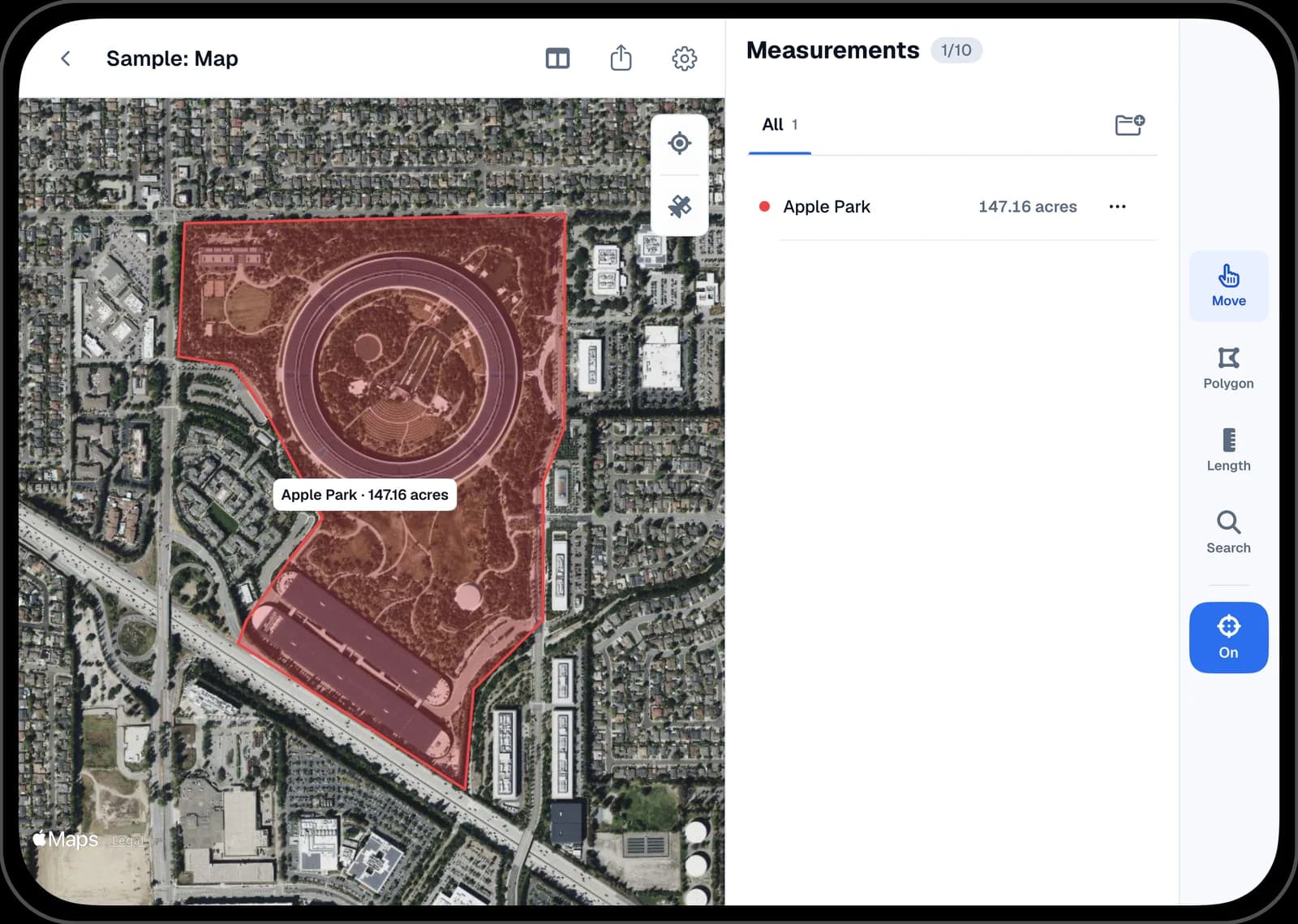
Move, Polygon, Rectangle, and Length sit in a rail down the right edge of the display, with Search added on maps and the Precision switch at the bottom. The rail stays in the same place on every screen. While you set the scale, tools you can't use yet are greyed out instead of disappearing, so the layout never shifts.
A Tutorial That Stays Out of the Way
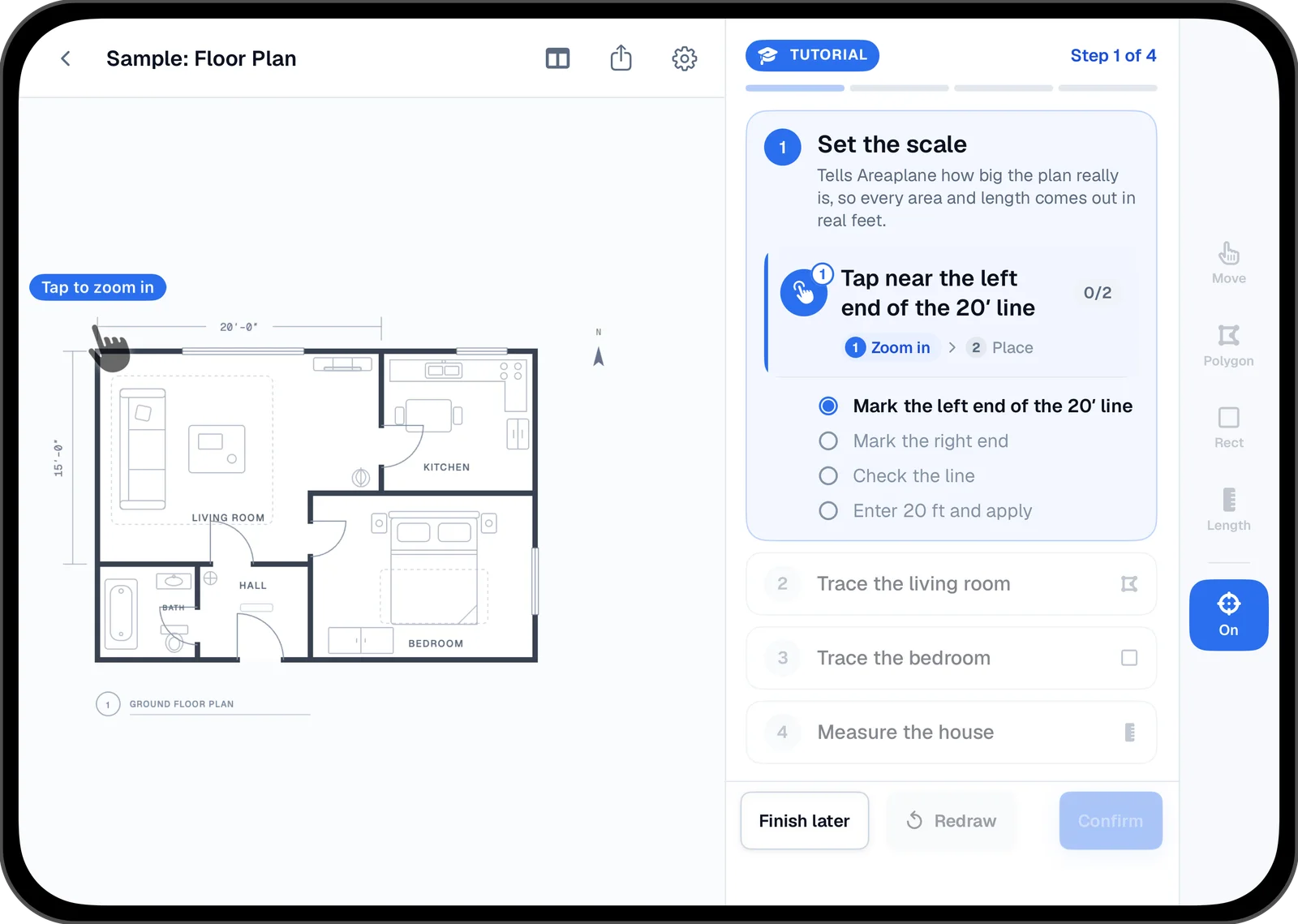
The quick tutorial moves into the panel as well. It shows your progress, the current step and why it matters, the instruction for the next tap, and a checklist that ticks off as you go. The plan stays clear for the taps the tutorial is asking for.
Folded, It's a Phone
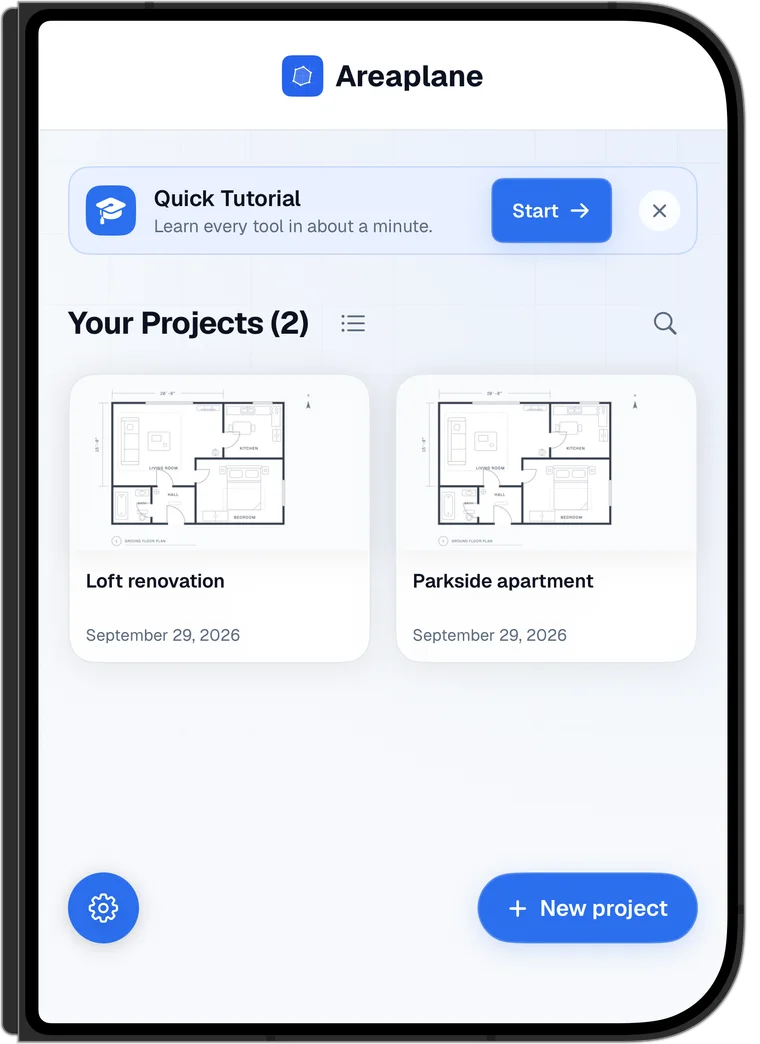
On the outer display, Areaplane uses its phone layout with a few changes for the Duo's shape. The tools move into the same side rail, the instruction sits above the plan instead of over it, and the measurements list stays below. On the home screen, the settings button moves to the bottom left, clear of the selfie camera.
Every Pixel for the Plan
Areaplane hides the status bar on iPhone Duo, so the plan uses the whole display. Project lists show two columns when the Duo is open and one when it's folded, and settings and other sheets use the full width of the screen.
Your projects are the same whichever display you use. Start a measurement folded, on site, then open the Duo to check it on the large display. With Areaplane Pro, iCloud keeps the project in sync with your iPad, and project files also open in the web tools.
